
GMDesk – run Gmail as a stand-alone application
Just as the need I saw to for running Facebook stand-alone with facedesk, the turn has come to Gmail. Let me present GMDesk – run Gmail as a stand-alone application.
Why Gmail?
For myself, I’m constantly in touch with people through Gmail; be it for business, private relations or keeping track of blog comments or subversion commits for the blogs (Robert’s talk, DOMAssistant blog, Fucked.se) and open-source projects I’m working on.
For a number of reasons, I don’t want Gmail to occupy a tab in my web browser:
- I don’t want to show of my inbox to anyone coming by my computer, wanting me to look at/show something in a web browser.
- When doing web development, web browsers might crash, and it’s a bit annoying to have your mail application going down as well then.
Implementing GMDesk
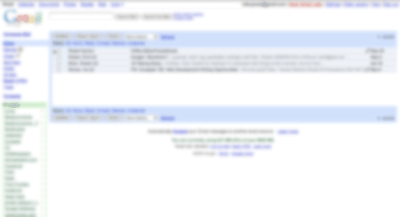
Implementing Gmail as an application with Adobe AIR was a bit trickier than Facebook, due to two main reasons:
- Google relies on web browser sniffing (which is, in general, a bad practice, but sometimes necessary), and the WebKit web browser in Adobe AIR doesn’t claim to be Safari (which is correct), which Google is specifically looking for.
- Gmail doesn’t accept being framed in any way, so it has to run on itself in a separate window.
When I had those two problems sorted out, it went pretty quickly to put it together.
I’d say that this application feels a bit experimental, and I’m keen to see if it works satisfactory for everyone. Please try it out and gimme me any feedback you might have!
Ever heard of imap? If not I suggest you look it up! It's possible to read your gmail in any regular mail client, and you wont have any of the problems you write about.
@Love – but where's the fun in that!?
Is a very interesting app. Unfortunatly, is not working with google apps email.
Pretty cool! I was using Fluid for Gmail, but I'm gonna try this. So far, it is working very well. My only complaint is that some fonts are really tiny (links under Gmail logo, buttons above message list).
Love,
Absolutely, but that's not always an option. On the main assignment I've had at works since September last year, certain URLs and ports were blocked, so IMAP wasn't something I could use.
Stuart,
Thanks. 🙂
Alin,
Hmm, interesting. I don't have any such account, so I can't really test it. Do you get any sort of error message, or does it just go blank?
Dana,
Yeah, I used Fluid first, then went over to to Prism, and now I'm trying this. I have the same problem with the fonts. and I have absolutely no idea where that comes from.
Problem is, I can't affect the content of Gmail at all, but rather just its shell, so unfortunately I can't manipulate the fonts or anything in the actual interface.
Ahhh, I haven't worked with AIR at all yet, so I wasn't sure. Perhaps this is something out of your control as well, but I did notice that some of the shortcut keys don't work. Specifically, using *-a to select all messages.
Still digging it, though!
Dana,
Yep, same thing there. These things, though, are as far as I know only due to web browser adaptions and code; meaning, it should work. 🙂
And thanks! 🙂
Installation:
– Publisher: UNKNOWN, would be nice to put your name/company here if possible.
– The title of the app says "GDMesk" not "GMDesk" (it does however install into the proper "GMDesk" folder.
Usage:
– The favicon needs to be something easily identifiable in my toolbar, preferably the Gmail red mail icon but if you can't use this for reasons of copyright, perhaps a slightly altered version?
– The small fonts I can live with but the extremely tiny action buttons ("Archive, "Spam") are not usable.
That's my critiques. All in all, I think it looks and works great! If it wasn't for those tiny fonts, there'd be no reason I wouldn't use this.
Aaron,
Thanks for the feedback!
In regards to publisher, I discuss that in detail in Thoughts on developing with the Adobe AIR framework.
Thanks for the typo find; I've pushed out an update with the correct application name.
With the icon, it's a delicate balance with what I think I will get away with legally, and at the same time give it its own identity.
I think that the fonts are because of Googles code, and that the miniscule buttons is due to poor form element presentation with Adobe AIR, something which I sure hope changes in future version. I talk about that too.
Again, how does this in any way differ from a Fluid App? Something I haven't thought of?
Right, Windows-guys can play along, but really, who cares…
the fonts are waaaay too small for on my 14.1" laptop (1400×1050). is there an option that I'm missing to change that? either way… it was so small I couldn't even read. otherwise looks like an interesting app. nice work =)
The big question for me is does this force an https connection for viewing the email over? That's the one feature that is always missing from any "gmail on your desktop" solution
s1000,
Well, first of all, I care, since I want to be able to offer this ability to everyone. 🙂
Second, as mentioned above, this is a complete application as opposed to, for instance, Fluid, which more or less is just an application that points to a URL.
The latest version now has Google Apps support, so you can switch between those, and the next version (coming very soon) will be having some very interesting support for other Google services!
Peter,
Thanks! I know about the fonts, and I'm working hard to find a solution. The problem is that I, as a developer, can't create the code generated from Google, and it seems like Gmail (as opposed to other Google services) has some special font scaling going on.
Colin,
The connection type Google seem fit will be used, and in those cases it redirects via https in the web browser, it will do that in GMDesk as well. In the end, though, it's about security precaution.
Is it possible to have the links within the AIR app open in the system default browser rather than in the AIR popup style windows that are ~useless to just about anyone?
The fonts being small I can live with, even the shoddy sub pixel anti aliasing which looks horrible on my off-monitor. Links not opening in my darling Firefox, on the other hand… why? :'(
Interesting little app. A few (hopefully constructive) criticisms:
1. The application seems to have a huge memory footprint (a whopping 106mb on my Windows Vista system). Mozilla Thunderbird (which I use to access all my gmail accounts) uses 13mb. Can anything be done to reduce GMDesk's memory footprint?
2. As has been stated elsewhere many times, the font-size is miniscule. I recognize that you're working hard on this issue, and I don't envy the headaches its' resolution must be giving you.
3. This last one isn't so much of a criticism as a cosmetic 'want'. I would love for GMDesk to be able to be minimized to the system tray as opposed to taking up space on my already cluttered taskbar. Is this a possibility?
That's all I have for the moment. I love the idea and it looks like this could be a truly great application with a little more fine-tuning. Keep up the good work! =)
Inkpot
grimman,
If it were possible, I would really want that too! Unfortunately, as far as I know, this is only possible on a link-per-link basis with Adobe AIR, and only for content one can control (as opposed to the Google code which is beyond my control).
So, at the moment I can't make that happen, but if I find a solution, I'll definitely implement it.
Inkpot,
Thanks! I'll reply to my best knowledge:
1. Completely Adobe AIR-related. As I've heard/seen with other Adobe AIR-based applications, memory usage does seem to be a bit of a problem for the moment.
2. Yes, it's extremely annoying, since it uses the WebKit rendering engine (same as in Safari, but a slightly older version), so everything should work just fine. At the moment, I'm clueless as to why Gmail, and only Gmail, fails to render fonts in a normal size.
3. It is possible, but to accomplish it is somewhat a hack in my opinion, since you have to turn off an auto-exiting feature of the application, and handle it yourself. I might add this in a future release, but I'm not sure.
ok I got this, loaded AIR, installed both, and damn it's good…
thank you, though I would love to see a true standalone app of Gmail, this has got to be the next best thing to the Google Web App..
in the short time I have been using this, I am nothing but impressed…
on the Memory Usage issue highlighted above, take a look at any Adobe app and you will find a memory issue… I have never seen an Abobe App with a small Foot Print, and in any case, why would you be so worried about it, if you are running Vista, you should be running atleast 2GB of Ram..
so a 100mb foot print is not that big, and really do you need to be running Email at the same time as all your other Apps??? I hope you are not one of the people who are answering emails while playing MMORPG's and letting yer team down as they are squished by an Ogre……
OK I just ran the App on my 17" CRT, and now I see the problem with the small font, on my LCD's it was not an issue really as they are 21" and the other is a HD/TV with PC support so the font looked fine on them,
my 17" is running 1024×768 and on this the font becomes blurry and tiny… other than that, I am impressed… in AIR Google looks better than in FF/IE
ok one last comment before you delete me for spamming, I have found that Google Maps runs much faster in your app than on IE/FF.. I don't know why, but for me the load times are much better…
aslo there seems not to be the same Font problem (I think maybe you know this though)
Rodger,
Don't worry. 🙂
Yes, the font is only a problem with Gmail, and it works just fine with the other Google applications included. I guess Google Maps just works better with the WebKit rendering engine. 🙂
Thanks for using the application!
Any chance the Gmail/ Gcal redesigned skin will be available for it?
Apart from that, I'm loving it! Thanx so much.
Danielle,
I'd love to, but currently Adobe AIR (which GMDesk is built on) doesn't offer any chance of manipulating the actual content. We'll see in the future how it evolves…
hi Robert,
cool app. keep up the good work.
i would like to say that i too would appreciate the following features, already mentioned above; minimization to system tray and possibility to use the Google Redesigned skins.
Too bad it doesn't seem to be easily implementable.
Anyway, congrats and keep it up.
j
jeroen,
Thank you! I would love to make much more of GMDesk as well, but currently my hands are tied by limitations of the Adobe AIR framework.
I noticed three small things/bugs with this App. The font size is too small, maybe in a future release add an option to zoom the page? Also in Windows XP there is discoloration on the menu bar. The text has a small white border around it and then when you hover over it and click let's say on "help" for example the whole thing turns white and matches the color of the page. However when you minimize the window and then restore it, it returns to the text having a small white border around it.
David,
Those are things I'd love to fix, but unfortunately they're beyond my control (my thoughts on the matter).
So, basically, if I get the technical possibility to address those, I plan to have it done.
I just use soemthing like googles new web browser constantly open to gmail page and use firefox or IE to browse.
If IE crashes then my google browser app is still running..
The web interface is by far the most robust IMO
Brilliant application – thanks very much! Using it on my Aspire one netbook – yes, the font's not the largest I've seen, but pages are readable – cannot complain. Thanks for your efforts mate. I'll spread the word around…
Hey, great job on it, i just saw the font issue, but from reading the comments i saw you are working on it and all i can say is keep up the good work and i wish you the best. I was just wondering, if there is any way of implementing to where we can have two accounts running? That is one of the things im looking for in an app and really wish for. Once again, thanks alot!
John,
Use whatever solution you find the best, and suits your needs in the most optimal way.
Dan,
Thanks!
carlos,
Thank you! Sorry about two accounts, it's not possible at the time.
Hi
Thanks for this cool Adobe AIR GMDesk software. I have recently found about this GMDesk through Official GMail blog and been looking for something handy for my desktop. Wonderful appliance widget.
Thanks to share
I would love to have a “contacts” air application which is always
avail on my desktop. If you had a config option to open to
google contacts, this would be great.
Hi,
Great app, works like a charm and having a dual boot system makes this app very usefull for me. Works well under Windows 7 btw, don't know if that was something you wanted to know but hey, what do I care 😉
Thanks for this app!
Phoenix2life, Hendrik,
Glad you like it!
Frank,
Perhaps in the future, but nothing planned as of now.
Hey Robert,
As a learning exercise, I've actually also been trying to get GMail to run in an AIR app, but I haven't had any luck. Gmail's complaining about not using a supported browser. Any chance you could post the source code to this?
Amit,
The code is available as open source at http://code.google.com/p/gmdesk/
Hi Robert,
Interesting tool, would it be possible to install it on a USB stick ?
PS you have somethig like a competitor in GeeMail, which does not have the problem with font size
andrew,
Only on platforms which support Adobe AIR, which means that currently a USB stick is not an option. Also, the font size issue should be gone with the Adobe AIR 1.5 update.
hey thank you 😉
really great thing
currently im using 3 fluid instances but this would be probably the better way (or not? im no sure)
i have 2 questions:
are the offline features of gmail gcal and greader supported?
is it possible to open external links _always_ in the standard browser?
good work 😉
martin
martin,
Thank you!
Unfortunately, from what I've seen, neither offline nor external web browser configuration are working.
Even though I ended up uninstalling it 10 minutes into use I think this is an awesome plugin and I'll revisit it if it can overcome a few issues that were show stopper for me.
The shift+3 shortcut for deleting mail doesn't work in this application. Being a power user, I use Gmail almost exclusively via keyboard shortcuts and had to abandon the plugin at this point.
There is a much bigger row spacing between email entries which causes fewer emails to display (even without chrome) then in the native browser window.
I currently use FF+Prism plugin to use GMail as a standalone desktop app, however, Prism has it's own issue in that it doesn't support Google Gears which is needed for Offline support for Gmail–something I can't do without. Also Prism doesn't support FF's native search feature with CTRL+F.
aleemb,
Yes, that's the problem with stand-alone versions: you will probably never be able to get the exact same experience as in a web browser.
Robert, I love the application. I used this a while back when the font rendering was getting messed up by AIR, and now that they've fixed it, this is a very cool solution.
Only two pieces of constructive criticism. The first, which I saw someone commented on before, is a more recognizable icon. I'd be willing to help out by generating one for you if you're worried about copyright issues. The second is support for mailto: links. I unfortunately don't know much about the AIR platform, so I don't even know if this is an option, but personally, this would be HUGE to me.
Thanks for the awesome application, keep it up! 🙂
Shawn,
Thank you!
And yeah, I was very happy to see the font issue addressed in the latest version of Adobe AIR.
Icon-wise, I'd personally say that it works for now. However, if you're interested, please create one and send it to me (Contact info).
Regarding anything in regards to controlling the content, I'd love to offer that, but there are way too many security restraints in the Adobe AIR framework to control anything of that.
Very nice idea. Thanks.
Shuvro,
Glad you like it!
Thanks for writing this. I'm going to give it a try.
I like to cut and paste messages to my brother using gtalk but he complains that it takes too long for him to get the message because he doesn't use the computer with gtalk all that often.
What I would really love is an interface that looks like gtalk but sends email. But maybe this will work. It's too bad that the gmail website expects to have so much screen space to work with.
Pam,
I hope it works out!
It would be nice to be able to have features from the Firefox extension BetterGmail2 implemented in this app.
XO,
I agree, but Adobe AIR doesn't support that.
very intelligent indeed !!
Can you add or the option to add web apps ourself please :
Google tasks https://mail.google.com/tasks/ig
Google Contact manager https://mail.google.com/mail/contacts/ui/ContactM…
Thank you
Dominique,
Currently, I'm not doing any more development work on GMDesk, but if I do, those two might be added.
Currently, though, you should be able to navigate to them within GMDesk from, for instance, Gmail.
@Love
The trouble with imap is there is no real support for labels and that is what makes gmail the best email client (yeah I'm comparing it to outlook and any other client – what you going to do about it)
WAAAH!!! WAAAHHH!!! WAAAAHHHHH!!!
Searching and searching and searching for an application that mirrors the GMAIL web interface, and I happen upon your project, and low and behold…it is for MACs…poo.
I wish I could try it out, but unfortunately I only run linux and windows….poo. Want to write a windows app?
In my frustration I've also posted a link on google…know of a better place for me to wish/complain/beg?
http://www.google.com/support/forum/p/gmail/threa…
Sytheii,
It is based on Adobe AIR, which will make it run on Windows, Mac and Linux.
Great little app, many thanks..
The one little thing I'd love to see is a visual cue when an email is recieved, like Tweetdeck or Growl on OSX..
thanks again,
Barry
Barry,
Thanks, glad you like it! I'd like that functionality too, but unfortunately I can't add it. The Gmail window runs on its own and I can't receive notifications from it when anything has changed.
Would it be possible to add Google Voice functionality to this?
Thanks in advance!
Michael,
There are no plans for it, and currently I'm not doing any developing at all for GMDesk.
Hi. I tried GMDesk, very nice. I installed it bcoz I wanted something on my kids’ computer for them to access gmail without net surfing.
Later, I found that it is possible to browse any website using GMDesk, if there is a link in the mail, just click that and that website opens in GMDesk itself and can browse. Just create a draft mail with any website address, save it and click the link to browse that site.
I thought GMDesk is a dedicated software for checking only mails in gmail, but it is not safe for kids. Any suggestions? Thank you.
Vinay,
No, in that aspect, it is not safe. In that case, I’d probably set up a web browser with certain permissions for them – check with various web browsers to see what you deem most suitable.
One thing which worries me is privacy. I do not want to see my search result being connected to my e-mail identity (in fact, it is one reason I started to use Bing). Would Gmail as stand alone application solve that problem? IP-addresses are still the same after all so I am not sure.
thanks
Forgotten to mention another reason: it is impossible to stay logged in to Youtube and Gmail under a different account-name at the same time. That is because Google made the Google account the foundation of Gmail-accounts and Youtube-accounts. This is highly annoying.
Miles,
All this app really is, is an app that opens the Google web sites, so there won’t be any difference in terms of usage options or privacy from them.
When I use GMDeskto read my gmail, Google complains that I am using an outdated, obsolete version of Safari. Is there any fix for that?
…..Bob