
facedesk – a stand-alone Facebook application
With the advanced level of sophistication when it comes to web sites and web applications, there are a number which would suit better as stand-alone applications. Therefore, I’ve created facedesk.
What is facedesk?
Since most people who are addicted to Facebook use it constantly throughout the day (and evenings, and nights… 🙂 ), I thought it would be better to use it as a stand-alone and cross-platform application, and to avoid cluttering the web browser with an extra tab and the risk of showing of your Facebook surfing, when you probably should have been doing, theoretically at least, something completely different.
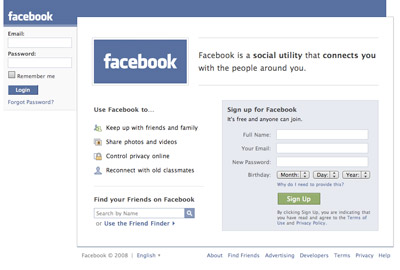
For now, facedesk offers you the possibility to do this, and to have it side-by-side with all your other installed applications. Just alt–tab (on Windows or Linux) or Cmd–tab (on Mac) to shift between this application and the other ones you are running.
Future plans
To begin with, this application is pretty simple and just there to tend to a need you might have; I sure know I have that need. This was also to get the infrastructure of the application in place, with automatic updates, install methods and so on.
If it gains popularity and people appreciate it, I have a plan to continuously add some small nice features to make your life easier. So, please try facedesk out and let me know what you think!
I feel quite content with the deletion of my Facebook account. This looks like interesting stuff, nonetheless. Won’t make me re-register though. 😉
Nice !
I'd like to see the source code too 😛 !
What's the difference between this and Prism? Facebook for Prism is available for installation directly from Ubuntu's repository.
[…] facedesk – a stand-alone Facebook application – Robert’s talk – Web development and Internet trend… “With the advanced level of sophistication when it comes to web sites and web applications, there are a number which would suit better as stand-alone applications. Therefore, I’ve created facedesk.” (tags: facebook standalone article software social) […]
Fredrik,
Ha ha, I can understand that! 🙂
Neovov,
Actually, the code is always available in the installed package (at least on macs, haven't tried delving into it in Windows or Linux).
Either way, this is open source, so the code offered for anyone to take a look at in the facedesk project page.
micke,
I'm glad that you ask! There are several options to create applications directly from URLs, such as Prism. However, building it with Adobe AIR means complete application possibilities for me as a developer, and for you as a potential installer of facedesk (e.g. local file integration, pushing automatic updates etc).
As of right now, there's basically no difference to a Prism package with Facebook, but if I develop this further, according to the plans I have and depending on its popularity, I will be able to offer things prism can't match.
[…] as the need I saw to for running Facebook stand-alone with facedesk, the turn has come to Gmail. Let me present GMDesk – run Gmail as a stand-alone […]
this. is. awesome.
Nathan,
Thanks!
Ok, so it doesn't seem to be working for me.
I installed Facedesk, I opened Facedesk, and then I just get a big white box with Facedesk in the title bar. Shortly after, it unexpectedly quits.
Now, I have the latest version of Adobe AIR installed, so I'm not quite sure what's wrong.
If you could help me out, that would be great. My email is kyle@kyledylanconner.com.
I was hoping for something more streamlined like echofon. Something with just the basics. Updates, wall posts friend adds. with or without chat.I can doi Facebook chat in Adium. Thanks for the great beginnings.
Kyle,
Sorry, missed your comment when it came in – I hope the problems have gone away for you by now.
ep,
Absolutely, i agree. Problem here is that through Adobe AIR, basically all I could do was present the Facebook web site in a separate application window.
This would be great, if it would actually fucking work.
Rob,
Well, all it does is open the Facebook web site in a window, so it should work.
I have Facedesk downloaded and when i open it, the screen is dark and I cannot post anyything. I have Adobe Air. I love this app! I've used it before, so why is doing what it is doing now – I don't understand. Any suggestions?
I've tried others and I must say – I am spoiled with Facedesk!
Hugs,
DeLoris
DeLoris,
Thanks!
Unfortunately, I don't know what could cause that – sorry. Good luck!
And if it doesn't work out, an alternative for you could be Mozilla Prism.
I have the same problem as DeLoris. Can't go anywhere else other than the homepage. Can't even log-out. I could send you some pictures, if you like. you can send me an email of your account and i'll send to you screenshots. it's kinda disappointing. I'm running on 32bit XP SP3 if that helps.
Spainach,
It won't help. All Facedesk does is show the Facebook web site in an application window, and if it doesn't work, it depends on how the Adobe AIR framework renders it.
An alternative for you could be Mozilla Prism.
Like Kyle said, all it does it sit there with the Facebook logo and “Go to facebook.com”
Blake,
Try Mozilla Prism then, might work better.
Robert,
Unfortunately, Facedesk is still not working and Prism seems to have been discontinued by Mozilla Labs.
Is there any other option?
Matthew,
Best option is probably to run it in a web browser, and pin the tab.