
Testing Google Calendar
As of recently, I’ve had enough of trying to keep track of appointments and other assorted obligations. Fredrika writes things for hand in her little secret calendar, which means there’s no way I can stay on top of things going on or actually double-check when I’m not actually in the same room as here.
This led to me starting to look around for web-based calendar services, where one can enter data and it will be available from any computer at anytime, and also get reminders. Just as I was testing some services, Google were kind enough to apply to my needs and released Google Calendar.
Google Calendar has got the look and feel of GMail and other Google applications and you can just start using it with your existing Google account.
Different views
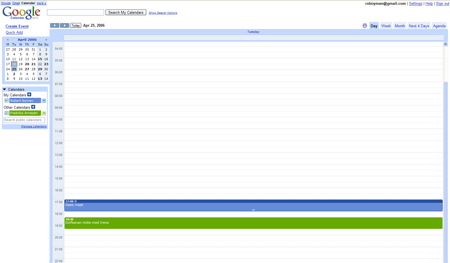
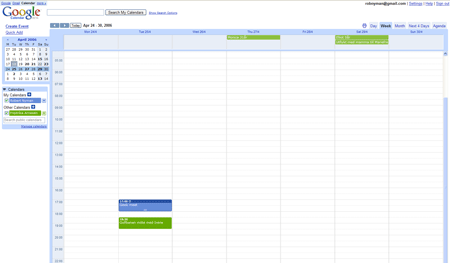
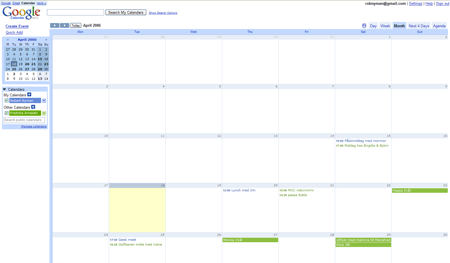
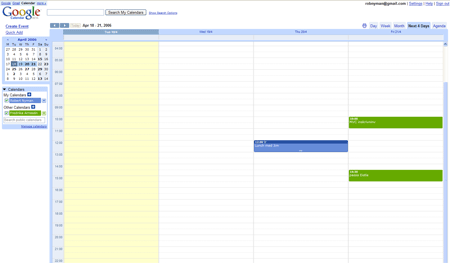
Google Calendar supports five different views:
- Day
-
- Week
-
- Month
-
- Next 4 Days
-
- Agenda
-

Creating events
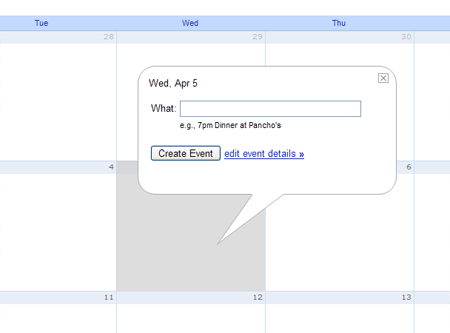
It is very easy to create an event: just click the desired date/time and enter a subject. You can then drag and drop existing events to move them to another date/time.
Notifications
It’s possible to get a notification through an alert box, e-mail or a SMS text message. I would love that last option, but it seems like it’s only available for US citizens.
Sharing
You can also share your calendar and events with others, which is a great thing! This lets you have your own calendar, share some or all events and then also color-code your and other calendars’ events to easy distinguish whose appointment it really is. Your calendar with the events labeled as public is made available at a public address, and there’s also a private address you can use in other calendar applications.
Missing features
I would love some way to synchronize the information with a PDA or cell phone and be able to use it offline.
All in all, a great service that is yet another step for me from being dependant on just one specific computer.
Another piece in the GoogleOS puzzle – looks pretty neat.
PDA-Sync is according to google a planned feature. I tested a few web-based calendars a few months ago and I think google Calendar is great, they made many things just right.
But imagine what would have happened if Microsoft released such a calendar. I guess they would be bashed for this invasion in everyone's privacy.
How nice of you to bring this up. I've been thinking about getting myself a calendar for a while, due to my bad planning skills. This looks like a nice alternative..
It's worth noting that if you have a Mac, iCal + iSync becomes worth double its weight in gold. It becomes possible not only to pull Google calendars down into iCal, but you can also push your own local calendars to a server for Google to pick up.
Now if only they had todo lists…
Steve,
Oh, it is neat. 🙂
Chris,
Interesting. I also tested some other calendars, but found Google's to be the best one.
And yes, Microsoft would most certainly get a bashing if that happened, but it should be noted that Google has lost a lot of goodwill lately too.
erikd,
Yes, sometimes I try to be nice. 🙂
Try it, I think you'll like it.
Jakob,
Very noteworthy. Thanks for letting us know, I need to try that when I get the chance.
How about privacy? Same question for the new Bookmark service by Google.
I feel reluctant to give personal information to companies…
Absolutely love Google Calendar so far.
I tried all the other usual suspects recently when looking for a calendar myself. Didn't get along at all with what seems to be the main competitor, 30boxes.
PDA syncing will make it perfect!
Chris,
Well, it's a valid question. Google have their privacy statement, but in the end I guess it depends on what information you put there.
To my knowledge, there's nothing in my calendaer that would be interesting to anyone else. 🙂
Richard,
Good to hear! 🙂
Tried 30boxes too, but Google Calendar was just plain better.
how can you convert a calendar to just show Monday – Friday?
[…] way, the three web sites I chose were: GMail Ma.gnolia Box.net I also love Google Calendar more and more for everyday I use it, so it should definitely be me […]
try search for gcalsync. small app to syncronize phone calendar and google calendar
didn't try it yet:
http://milow.net/site/projects/activegcsync/main….